Latest
Version 1.3.0
November 2026
New
- Refine in the comment box. Press the pen next to LinkedIn's GIF and photo buttons to polish, rewrite, shorten or clarify a comment you wrote. The edit happens right in the box, with Undo and Redo.
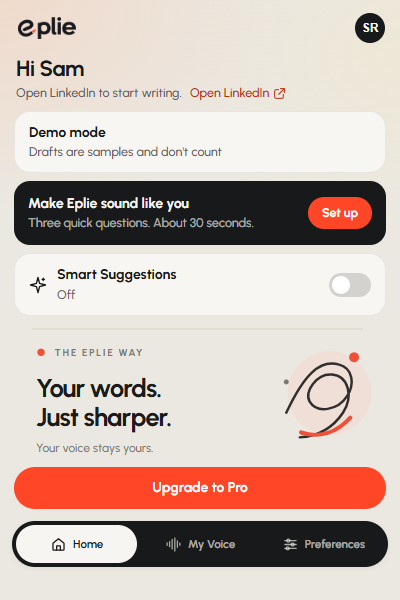
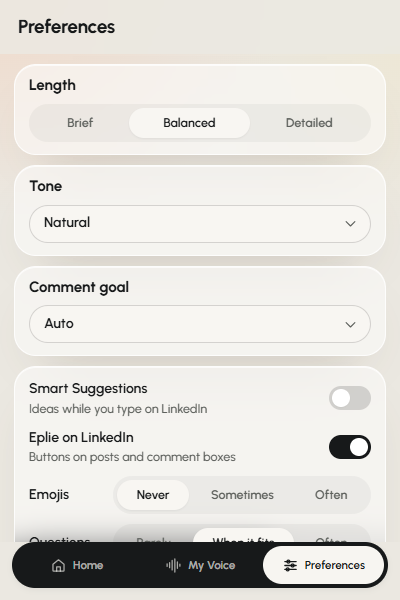
- Smart Suggestions. Eplie offers the next few words in grey as you type. Tab accepts, Esc dismisses, and you can switch them off in the popup.
- Eplie in reply boxes. The Eplie button now also appears when you reply to a comment, after LinkedIn's emoji, GIF and photo tools.
- My Voice in three questions. After you sign in, Eplie reads your own LinkedIn profile to get started. You can refresh it any time.
- Eplie Pro. Upgrade on eplie.com. Your plan shows in the popup straight away.
Improved
- Drafts arrive faster, and comments answer a specific point in the post instead of offering general praise.
- The popup opens instantly.
- A short network drop no longer interrupts the popup.
Fixed
- No more “Extension context invalidated” errors after an update. Refresh your LinkedIn tab to use the new version.
- Polish on a comment that's already correct now tells you so, instead of changing it for no reason.