
Free tools. Real social media tasks.
Free Social Media Tools for Bios, Captions, Video & LinkedIn
Free social media tools for the jobs on your list: writing a bio, a caption, a video script, or a LinkedIn post.
Pick what you're working on, open the right tool, and get a draft you can edit instead of a blank box. Each tool is built for one platform, so the length and style fit where you'll post it.
Free to start · No account needed · Copy and edit results · Fair use limits apply

A good place to start
Popular tasks, without the extra tabs
Not sure where to begin? These tools cover the work people come back to most often.
 Social Media · Available now
Instagram Bio Generator
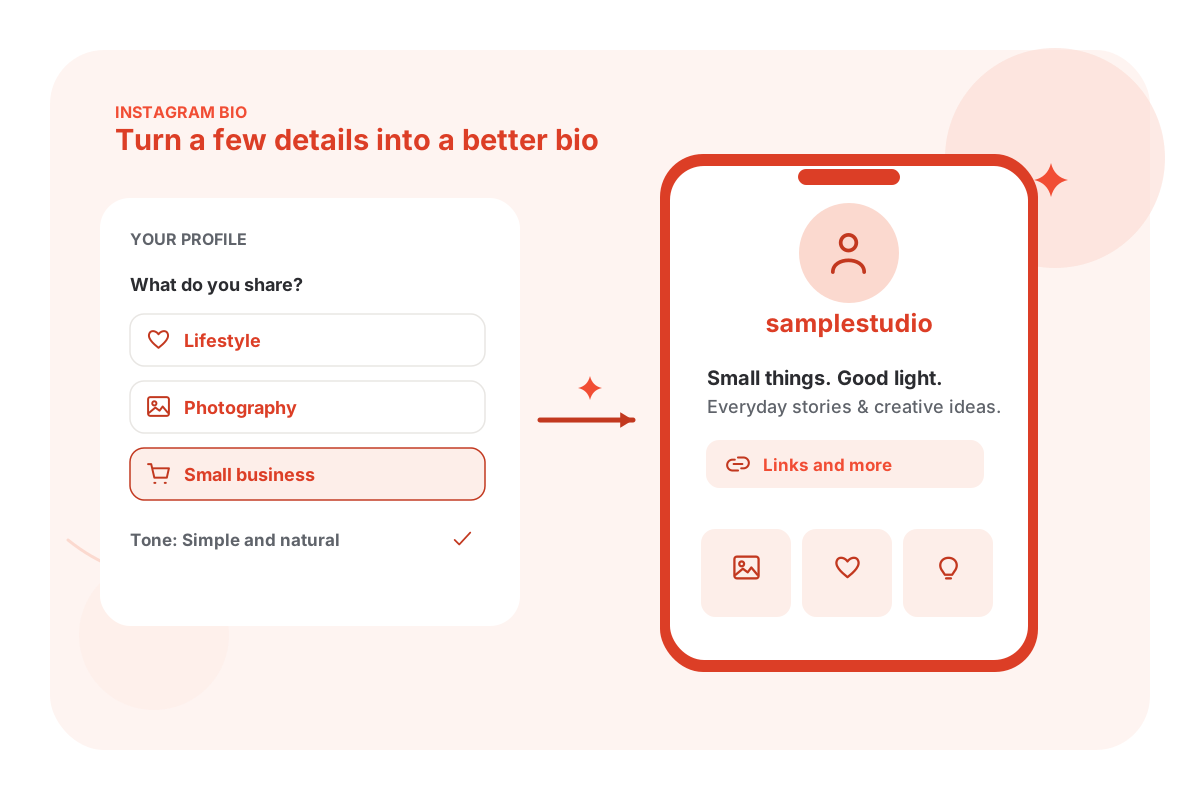
Write a bio that says who you are, what you post and why people should follow, inside Instagram's 150 characters.
Write an Instagram bio Social Media · Available now
Instagram Caption Generator
Turn an idea, an image, or a few details into a caption that sounds like something you'd actually post.
Write an Instagram caption LinkedIn · Available now
LinkedIn Post Generator
Start with an experience or an observation. Get a readable post you can edit instead of another corporate sounding draft.
Write a LinkedIn post Social Media · Available now
TikTok Bio Generator
Pick what your account is about and get five short bios that fit TikTok's 80 characters.
Write a TikTok bio Social Media · Available now
YouTube Title Generator
Describe your video and get a title that says what it's about and gives viewers a reason to click.
Write a YouTube title Social Media · Available now
Social Media Content Calendar Generator
Plan posts around your actual business, platforms, and available time. Then edit the calendar and export it.
Plan your content
The full toolbox
Find the tool that matches your task
You don't need to know the technical name. Search for what you want to do, or choose a category below.
26 tools available now
Free LinkedIn tools
Headlines, About sections, posts and comments that sound like you.
 LinkedIn · Available now
LinkedIn Headline Generator
Write a LinkedIn headline that communicates your role, expertise, and the value you bring.
Write a headline LinkedIn · Available now
LinkedIn About Section Generator
Turn your experience and achievements into a readable LinkedIn About section that sounds like you.
Write your About section- LinkedIn · Available now
LinkedIn Post Generator
Create LinkedIn posts from your ideas, experiences, or observations without making them sound overly corporate.
Write a post  LinkedIn · Available now
LinkedIn Comment Generator
Write relevant, thoughtful LinkedIn comments that contribute something useful to the conversation.
Write a comment- LinkedIn · Available now
LinkedIn Experience Description Generator
Turn rough job notes into clear LinkedIn experience bullets, without invented metrics.
Write my experience - LinkedIn · Available now
LinkedIn Skills Generator
Find skills for your role and separate the ones you can prove from the ones to learn.
Find my skills
Free username and channel name generators
Handles for Instagram and TikTok, and a name for your YouTube channel.
 Usernames & Names · Available now
YouTube Channel Name Generator
Get one YouTube channel name, an @handle idea and a short reason.
Name my channel Usernames & Names · Available now
Instagram Username Generator
Get one readable Instagram handle idea based on your name, niche or business.
Generate a username Usernames & Names · Available now
TikTok Username Generator
Get one short TikTok handle idea with formatting checks for your content or business.
Generate a username
By category
Where to start in each category

Free social media tools
A bio, caption, or posting plan should match the platform and what you're trying to say. Choose the right generator, add your own details, and edit the result before you post.
- Instagram Bio Generator: Introduce yourself or your business.
- Facebook Bio Generator: Write a personal or business Page bio.
- TikTok Bio Generator: Create a short, useful TikTok intro.
- Facebook Caption Generator: Draft captions for everyday posts, promotions, and updates.
- Pinterest Description Generator: Explain what a Pin is about in natural language.
- Social Media Content Calendar Generator: Turn scattered ideas into a plan.
Free YouTube tools
A video needs more than the video: a title people click, a description that answers questions, chapters, and a script you can actually film.
- YouTube Title Generator: Say what the video is about in a title worth clicking.
- YouTube Description Generator: Write an organised description with the details viewers look for.
- YouTube Shorts Script Generator: Get a filmable Shorts script with a hook and timed beats.
- YouTube Video Script Generator: Plan a longer video from intro to ending.
- YouTube Chapter Generator: Turn timestamps into chapters YouTube accepts.
The YouTube tools write titles, descriptions and scripts. They don't read your channel or show views, so check every result against your actual video.
See all Social Media toolsFree LinkedIn tools
Your profile and posts should sound like you, not a template everybody else is using. Start with your experience, your work, and the point you actually want to make.
- LinkedIn Headline Generator: Explain your role and focus.
- LinkedIn About Section Generator: Write a professional introduction using real experience.
- LinkedIn Post Generator: Turn observations into posts.
- LinkedIn Comment Generator: Contribute something useful to a conversation.
Usernames and channel names
A handle people can read, spell and remember makes every other part of your profile easier. Check that a name is free on the platform before you settle on it.
- Instagram Username Generator: Find a readable Instagram handle.
- TikTok Username Generator: Get a matching TikTok handle.
- YouTube Channel Name Generator: Find a channel name and handle ideas.
These tools suggest names. They can't check whether a handle is taken, so search for it on the platform first.
See all Usernames & Names toolsStart with the job, not the jargon
Four small workflows that actually make sense
- 1
I'm setting up a new profile
Start with: Instagram Username GeneratorThen: Instagram Bio GeneratorNext: Instagram Caption Generator
Pick a handle people can read and spell, then a bio that says what you post and who it's for. Write your first captions so they keep the promise the bio makes.
Start with a username - 2
I need to post more consistently
Start with: Social Media Content Calendar GeneratorThen: Instagram Caption GeneratorNext: TikTok Caption Generator
Make a manageable plan first. Use the writing tools to draft individual posts, then edit them to match what actually happened. A plan you can keep beats an ambitious one you drop in week two.
Build a content calendar - 3
I'm starting a YouTube channel
Start with: YouTube Channel Name GeneratorThen: YouTube Title GeneratorNext: YouTube Description Generator
Choose a name that says what the channel is about, then give each video a clear title and a description that answers the questions viewers ask. Add chapters once the video is cut.
Find a channel name - 4
I want to be found on LinkedIn
Start with: LinkedIn Headline GeneratorThen: LinkedIn About Section GeneratorNext: LinkedIn Post Generator
Your headline and About section tell visitors what you do. Posts give them a reason to come back. Use your real experience in each one, and don't add results you can't back up.
Write a headline
Good to know
AI generators and browser tools aren't all the same
A writing generator uses the information you provide to make a draft. A browser tool checks or formats something you paste in. Neither can see your accounts, so neither can tell you real follower or view numbers.
- AI writing tools
Drafts and ideas
Use these when you need a starting point for a bio, caption, title, script, post, or plan.
They're best when you include real context. Review the draft for accuracy, tone, platform rules, and details that might have been guessed.
- Browser tools
Checks and formatting
Some tools work on what you paste in, like turning timestamps into YouTube chapters. They follow fixed rules and run in your browser.
A check tells you whether something fits a platform's rules. It doesn't decide whether the content is good.
- Account data
Not included
Follower counts, reach, views and engagement come from your own accounts. These tools don't connect to your profiles or read your analytics.
Nothing here posts for you either. You copy the result and publish it yourself.
The basics, without the overwhelm
How to set up a social profile when you're starting from zero
You don't need a big toolkit to make progress. Start with a clear profile and a few posts you can keep up.
1 Decide what the profile is for
Is it for meeting clients, sharing a hobby, selling a product, or finding a job? That decision should guide the bio, the handle and what you post.
2 Say what you post in plain words
Visitors decide in a few seconds. "Easy dinners for busy parents" tells them more than a list of emojis or a job title. Try the Instagram Bio Generator or TikTok Bio Generator as a starting draft.
3 Match the platform
Each platform has its own length limits and habits. A TikTok bio has 80 characters, an X bio 160, a LinkedIn headline 220. Use the tool built for the platform rather than one bio everywhere.
4 Write posts that keep the bio's promise
If your bio says weekly recipes, post weekly recipes. The caption tools and the Content Calendar Generator help you plan posts that match what you said you'd share.
5 Post, then look at what works
Check your platform's own insights after a few weeks. Keep what people respond to and change what they skip. No tool can promise followers or views.
Built for real work
Pick a starting point that fits what you do
Small business owner
Write a clear Page or profile bio, draft captions for promotions and updates, and keep a posting plan you can manage.
Start with: Facebook Bio Generator, Facebook Caption Generator, Social Media Content Calendar Generator
Creator
Write a bio that says what you post, find a handle people remember, and keep captions and scripts consistent across platforms.
Start with: TikTok Bio Generator, Instagram Username Generator, YouTube Shorts Script Generator
YouTuber
Name the channel, write titles and descriptions for each video, and add chapters viewers can use.
Start with: YouTube Channel Name Generator, YouTube Title Generator, YouTube Chapter Generator
Professional or job seeker
Write a LinkedIn headline and About section from your real experience, then post and comment in your own voice.
Start with: LinkedIn Headline Generator, LinkedIn About Section Generator, LinkedIn Comment Generator
Social media manager
Draft captions for several platforms from one idea, and plan a month of posts for a client in one go.
Start with: Instagram Caption Generator, TikTok Caption Generator, Social Media Content Calendar Generator
Three steps
Pick it. Use it. Make it yours.
- Step 1
Find your task
Search the directory or choose a category. Every card tells you what the tool is built to do.
- Step 2
Give it useful context
Some tools ask a couple of questions. Others need your timestamps, your post idea, or a few details about your account. Optional fields can help make results more relevant.
- Step 3
Review before you use it
Edit the draft, check factual details, copy or export your result, and make the final decision yourself.

Free to use. Fair use limits help keep these tools available for everyone. No account is required.
Common questions
Frequently asked questions about free social media tools
What are free social media tools?
They're online tools that help with one specific social media task. Most write a draft, like a bio, caption, title or post. A few check or format something you paste in, like YouTube chapters.
Are Eplie's free tools free?
Yes. The public tools are free to use, with fair use limits. Some requests may be temporarily limited when demand is high.
Do I need to create an account?
No. You don't need an Eplie account or a login for any social platform to use these tools.
Do these tools publish posts for me?
No. The writing tools are for drafting, editing, and copying content. They don't connect to your social accounts or post anything. Review the result and post it yourself.
Can I generate bios for Instagram, TikTok, X, Threads and Facebook?
Yes. Each platform has its own bio generator, because the length limits and style differ. A TikTok bio has 80 characters, an X bio 160 and an Instagram bio 150.
Can I write captions for Instagram, Facebook, and TikTok?
Yes. Choose the caption generator for that platform. A TikTok caption, a Facebook caption and an Instagram caption need different lengths and writing styles, so one generic draft isn't always enough.
Do you have tools for YouTube and Pinterest?
Yes. The directory includes tools for YouTube titles, descriptions, Shorts and video scripts, thumbnail text, chapters and channel names, as well as Pinterest titles and descriptions.
Are there free tools for LinkedIn profiles and posts?
Yes. You can work on a headline, About section, experience description, skills list, post, or comment. Add your real experience and review the text before copying it to LinkedIn.
Can these tools check if a username is available?
No. The username and channel name tools suggest names, but they can't see which handles are taken. Search for a name on the platform before you use it.
Can these tools get me more followers?
No tool can promise followers, views or reach. A clear bio and well written posts help people understand your account. What you post, and how often, matters more.
What's the difference between an AI generator and a browser tool?
An AI generator writes or reshapes content based on your input. A browser tool, like the YouTube Chapters Generator, follows fixed rules on what you paste in. Each tool's page explains what its result means.
Can I trust every AI generated result?
Use it as a draft, not as verified fact. Double check names, prices, dates, achievements, and platform limits. An AI generator can make mistakes even when a result sounds convincing.
Why isn't a tool generating results?
Try removing unsupported input, refreshing the page, or waiting a little if the fair use limit has been reached. If an error continues, use the contact page and include the tool name and error message, without sharing account passwords.
Are the tools safe to use?
Each tool explains what it does and what information it needs. Don't enter passwords or private details you wouldn't put on a public profile. Read the privacy policy for how submitted text is handled.
Which tool should I start with?
Start with the task you need to finish today. Updating a profile? Pick the bio generator for that platform. Posting this week? Try a caption generator. Planning a month? Try the Social Media Content Calendar Generator.
One more thing
Writing on LinkedIn too? Eplie drafts the comments.
Eplie is a Chrome extension that drafts LinkedIn comments and replies in your voice and polishes what you wrote. Free to start. You review and post every word yourself.
Free social media tools
Bios, captions, YouTube titles and scripts, and a posting plan for every major platform.
Instagram Bio Generator
Create an Instagram bio that fits your personality, explains what you do, and gives people a reason to follow.
Generate Instagram bioTikTok Bio Generator
Write a short TikTok bio that introduces your content and makes your profile worth exploring.
Generate TikTok bioX (Twitter) Bio Generator
Create a clear, memorable X bio that communicates your interests, expertise, or personality.
Generate X bioThreads Bio Generator
Find the right words for your Threads profile, whether you're sharing ideas, building a brand, or meeting new people.
Generate Threads bioFacebook Bio Generator
Write a Facebook bio for your personal profile or business Page that tells visitors what they need to know.
Generate Facebook bioInstagram Caption Generator
Turn your post ideas into engaging Instagram captions with a natural tone and a clear message.
Write captionsTikTok Caption Generator
Write TikTok captions that fit your video, communicate the idea quickly, and encourage conversation.
Write TikTok captionsFacebook Caption Generator
Create Facebook captions for updates, announcements, promotions, and everyday posts.
Write Facebook captionsYouTube Description Generator
Write organized YouTube descriptions that explain your videos and make important details easier to find.
Write a descriptionPinterest Description Generator
Create Pinterest descriptions that explain your Pins and include relevant search terms naturally.
Write Pin descriptionsYouTube Title Generator
Write a YouTube title that describes your video clearly and gives viewers a reason to click.
Write a titlePinterest Title Generator
Write descriptive Pinterest titles that communicate your content and match what people are searching for.
Write Pin titlesSocial Media Content Calendar Generator
Build a practical posting plan with content ideas, platforms, and a schedule you can actually follow.
Plan your contentYouTube Shorts Script Generator
Get one filmable Shorts script with a hook, timed beats and an ending.
Write my scriptYouTube Video Script Generator
Turn a topic and key points into one structured YouTube script with a hook, sections and a closing.
Write a video scriptYouTube Thumbnail Text Generator
Get one short line of thumbnail text that adds context to your YouTube title.
Write thumbnail textYouTube Chapter Generator
Turn timestamped transcripts or notes into a validated YouTube chapter list.
Create chapters